← All features

The first taste of your restaurant

Your menu, always in step with your kitchen.

From your wine list to daily specials: organise your menus, update them in your dashboard and share them with a link or QR code. Customers browse them without downloading an app.

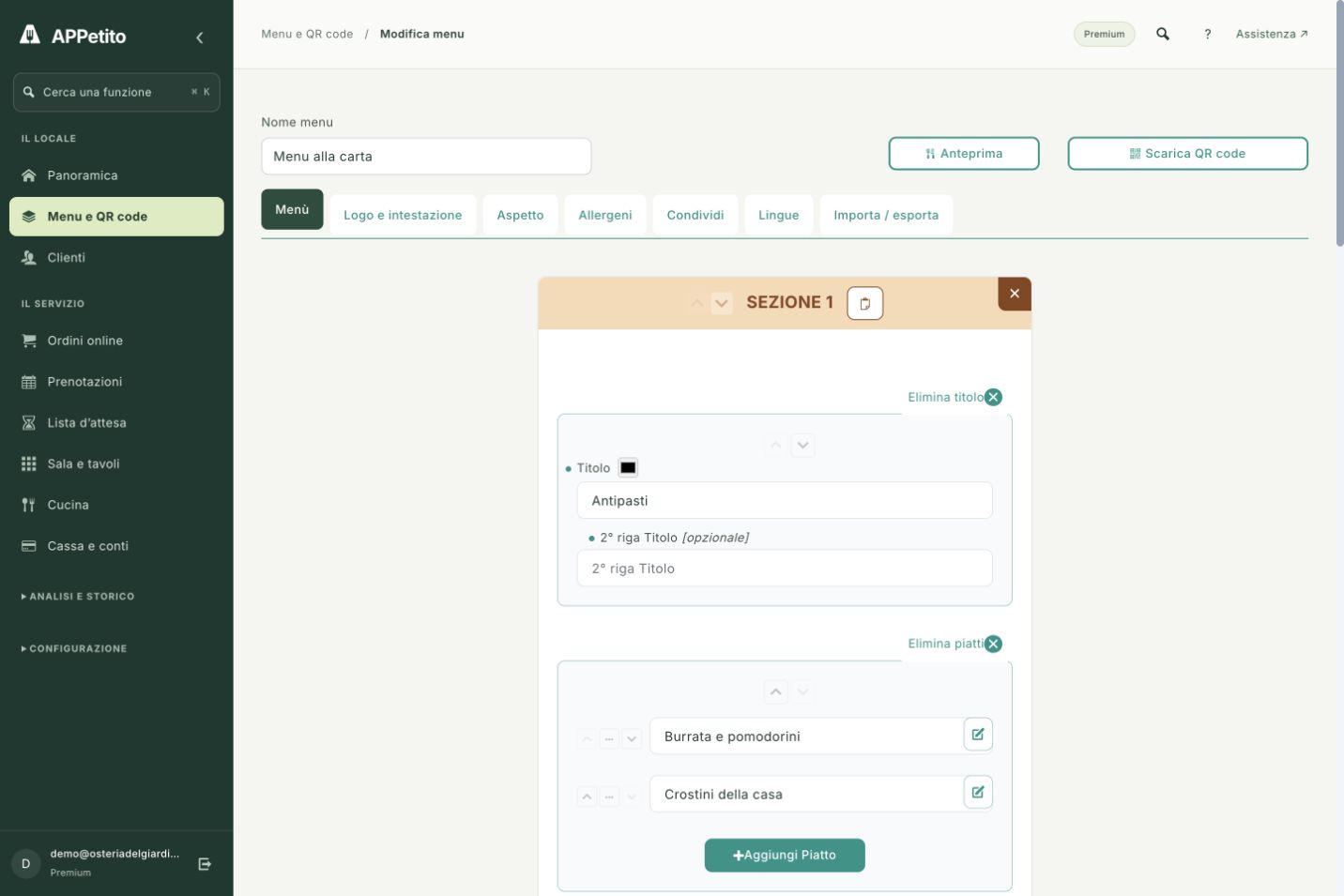
Give your menu a structure.Enlarge screenshot ↗
Real APPetito screenshot · Demo data

SEE HOW IT WORKS

Inside the tools.
In your everyday work.

Product screenshots with the essential steps. Open the images to see the details.

01 / YOUR DASHBOARD

Give your menu a structure.

Group dishes into sections such as starters, mains and desserts. Follow your restaurant's structure and keep content organised as your offering changes.

  • Categories and dishes in one editor
  • Access to language, appearance and QR code tools
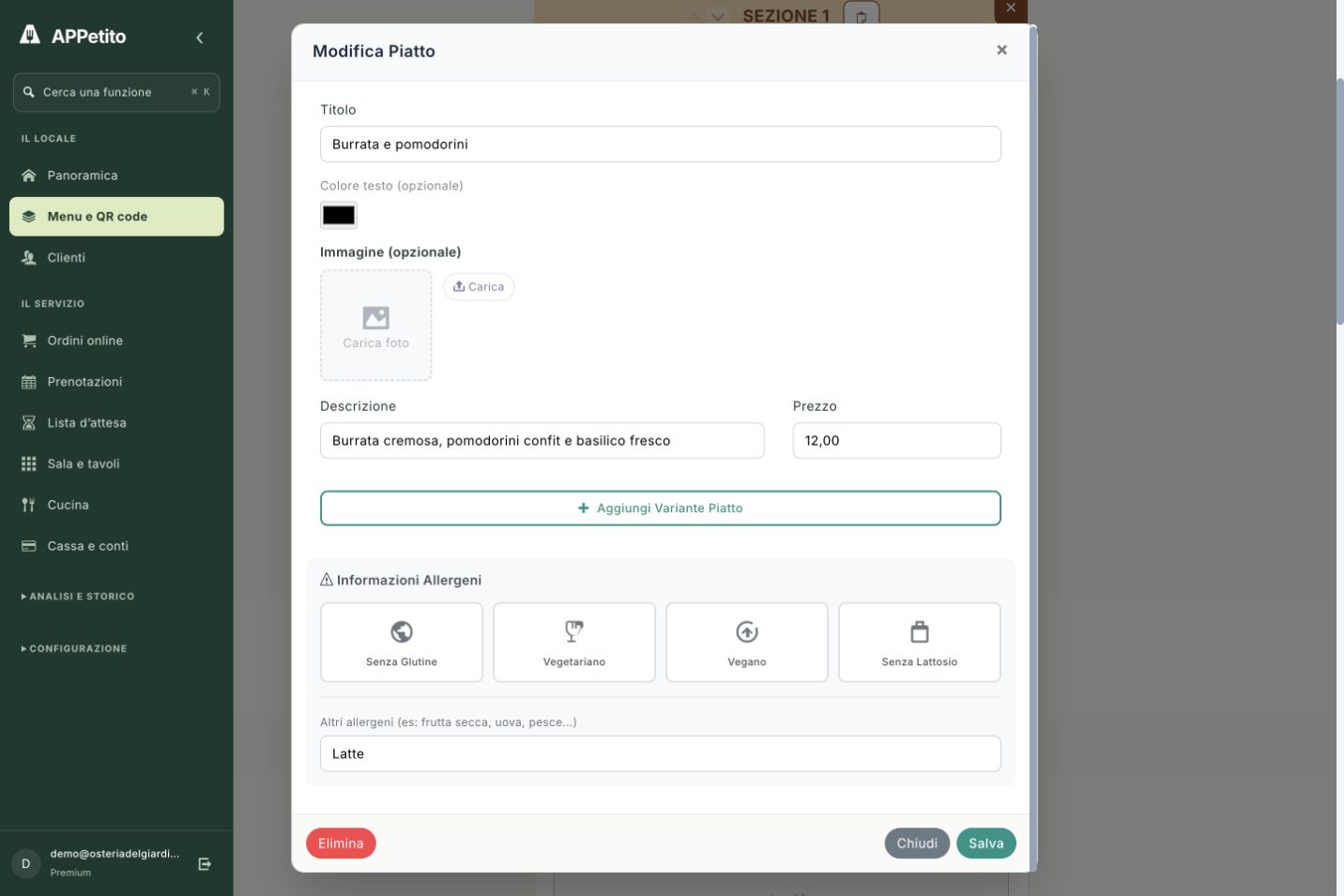
02 / DISH DETAILS

Information that helps guests choose.

Open a dish to edit its name, description, price and allergens. Variants let you present the options available for that dish.

  • Editable price and description
  • Options and allergen information
Information that helps guests choose.Enlarge screenshot ↗
Real APPetito screenshot · Demo data

A PRACTICAL EXAMPLE

Imagine it in your restaurant.

Change the daily special before service: update its details in the dashboard and guests browse the menu using the same QR code already on the table.

IN YOUR EVERYDAY WORK

01

A menu that's easy to browse

Organise dishes and sections, adding descriptions, photos, prices and allergen information.

02

Updates without reprinting

Update your content while keeping the QR code already on your tables. You can link multiple menus too.

03

Welcome guests in 7 languages

Italian, English, German, French, Spanish, Russian and Chinese. Basic also includes AI-assisted translation, for you to review before publishing.

GETTING STARTED

From setup
to your first use.

Free includes one visual style. Basic adds more styles, customisation and APPetito logo removal.

  1. 1

    Create sections and add dishes

  2. 2

    Choose how to present your restaurant

  3. 3

    Share the link or print the QR code

BEFORE YOU BEGIN

A few more details.

Understand how this feature fits your service.

Do customers need to install an app?

No. The menu opens in the phone's browser using a link or QR code.

Can I start with just the menu?

Yes. Free includes menus and QR codes. You can explore orders, bookings and dining room tools later.

Who reviews the text and translations?

You manage your content. Assisted translation, available from Basic, helps you prepare it: review the text before sharing.

Real screenshot · Demo data

THE NEXT STEP IS SIMPLE

Bring APPetito
to your restaurant.

15 days to explore the features and see how they fit your service.

Start your free trial

No credit card required.
Choose the right plan for you at the end.