← All features

Service, from the table to the kitchen

Dining room and kitchen, on the same order.

Organise dining rooms, give staff access and follow orders through to the kitchen. Orders stay linked to their table and preparation status.

Start at the table, follow the service.Enlarge screenshot ↗
Real APPetito screenshot · Demo data

SEE HOW IT WORKS

Inside the tools.
In your everyday work.

Product screenshots with the essential steps. Open the images to see the details.

01 / THE DINING ROOM VIEW

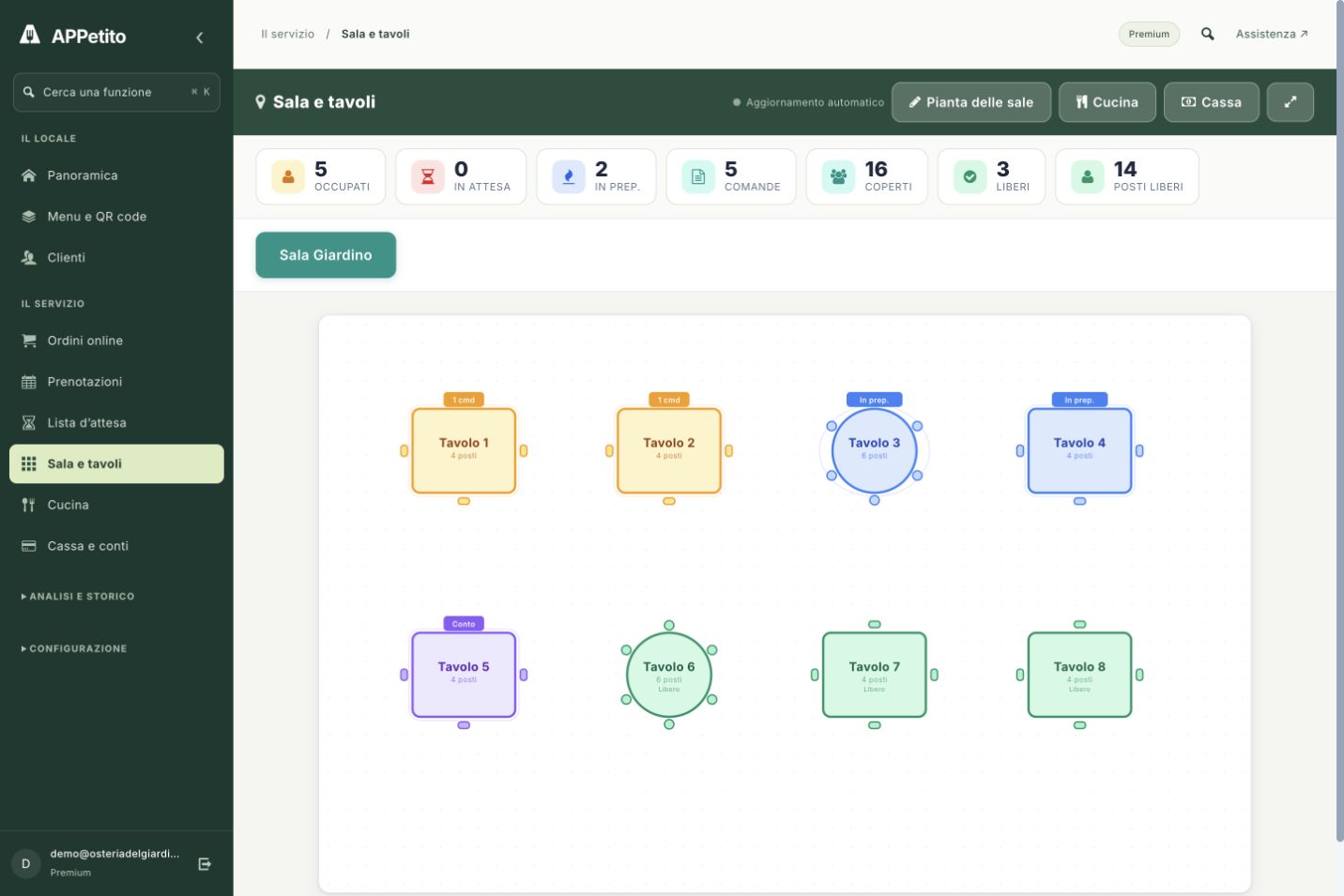
Start at the table, follow the service.

The dining room view shows your tables and their status. Open the table you are serving and keep its orders linked to the session.

  • Tables arranged on your floor plan
  • Guest counts and service status at a glance
02 / THE KITCHEN VIEW

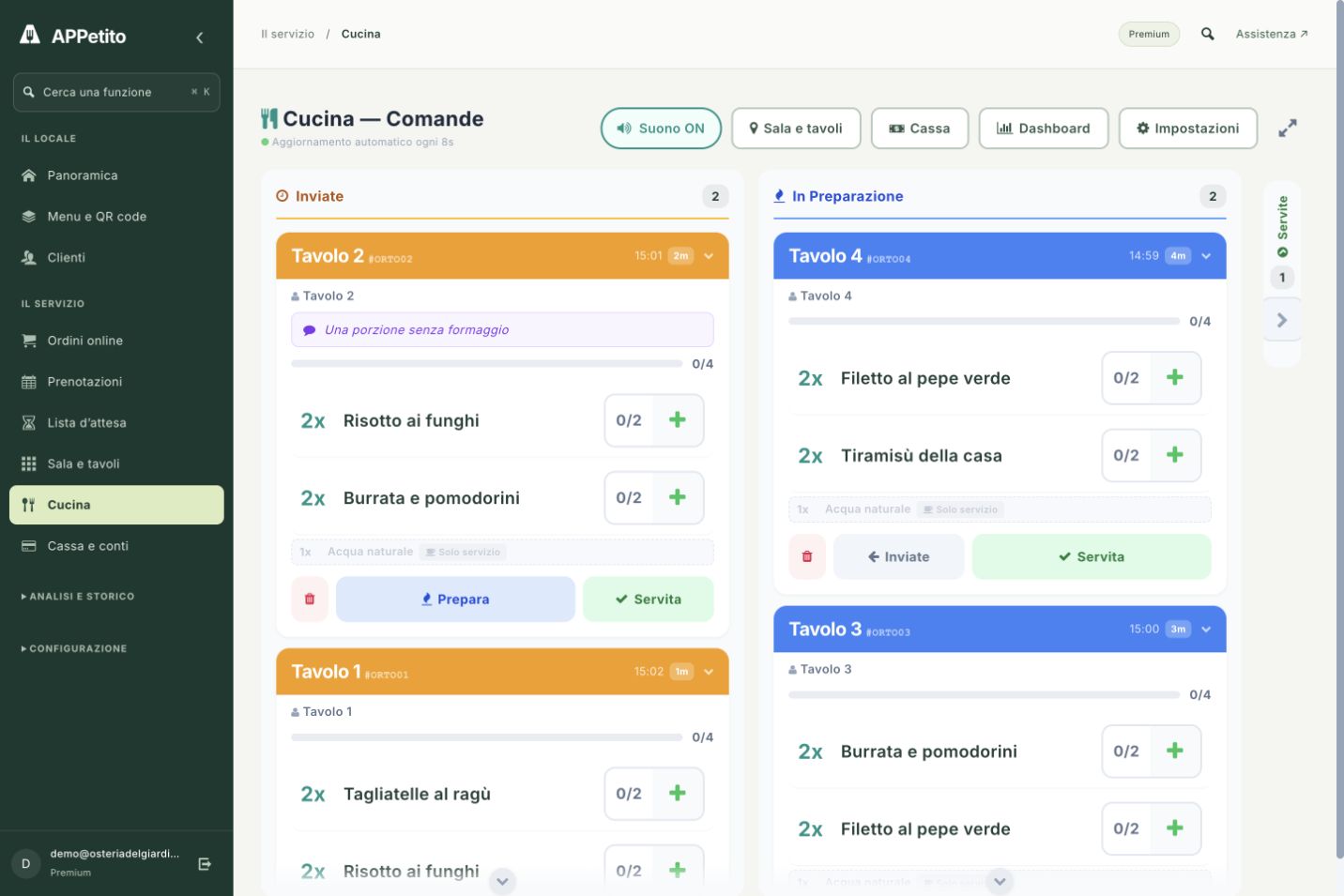
Every preparation has its place.

Submitted orders arrive in the kitchen view with dishes, quantities and notes. The kitchen updates their status as work progresses, keeping the table reference.

  • Dishes and quantities to prepare
  • Order notes and preparation progress
Every preparation has its place.Enlarge screenshot ↗
Real APPetito screenshot · Demo data

A PRACTICAL EXAMPLE

Imagine it in your restaurant.

Arrivano quattro persone al tavolo 3. Il personale apre la sessione, raccoglie le ordinazioni e le invia. La cucina segue la preparazione; a fine servizio ritrovi le consumazioni nel conto del tavolo.

IN YOUR EVERYDAY WORK

01

Your restaurant's floor plan

Arrange tables in the visual editor and manage different areas, from terrace to dining room.

02

A clear handover to the kitchen

Staff send orders. The kitchen sees them organised by status and updates their progress.

03

An overview of service

View tables and active sessions. Explore timings and order trends in dedicated reports.

GETTING STARTED

From setup
to your first use.

Service updates require an internet connection. Check your devices and restaurant network during your trial.

  1. 1

    Set up rooms and staff access

  2. 2

    Send orders from the table

  3. 3

    Track preparation and service in the kitchen view

BEFORE YOU BEGIN

A few more details.

Understand how this feature fits your service.

Do staff use my account?

You can configure staff access and permissions. Each team member uses the tools available for their role.

Is an internet connection required?

Yes. APPetito runs in the browser and updates between dining room and kitchen require a connection. Check your network and devices during the trial.

How do orders become a bill?

Items remain linked to the table session. In checkout, review the summary, split the bill and record payments.

Real screenshot · Demo data

THE NEXT STEP IS SIMPLE

Bring APPetito
to your restaurant.

15 days to explore the features and see how they fit your service.

Start your free trial

No credit card required.
Choose the right plan for you at the end.